How SMS opt-in works in Elphi — the complete flow
Elphi's text messages are strictly opt-in and are enabled by each user inside the Elphi iOS app, where the user enters their own mobile number and checks an unchecked-by-default consent box — consent is never collected on someone else's behalf. The full sequence, exactly as it appears in the app:
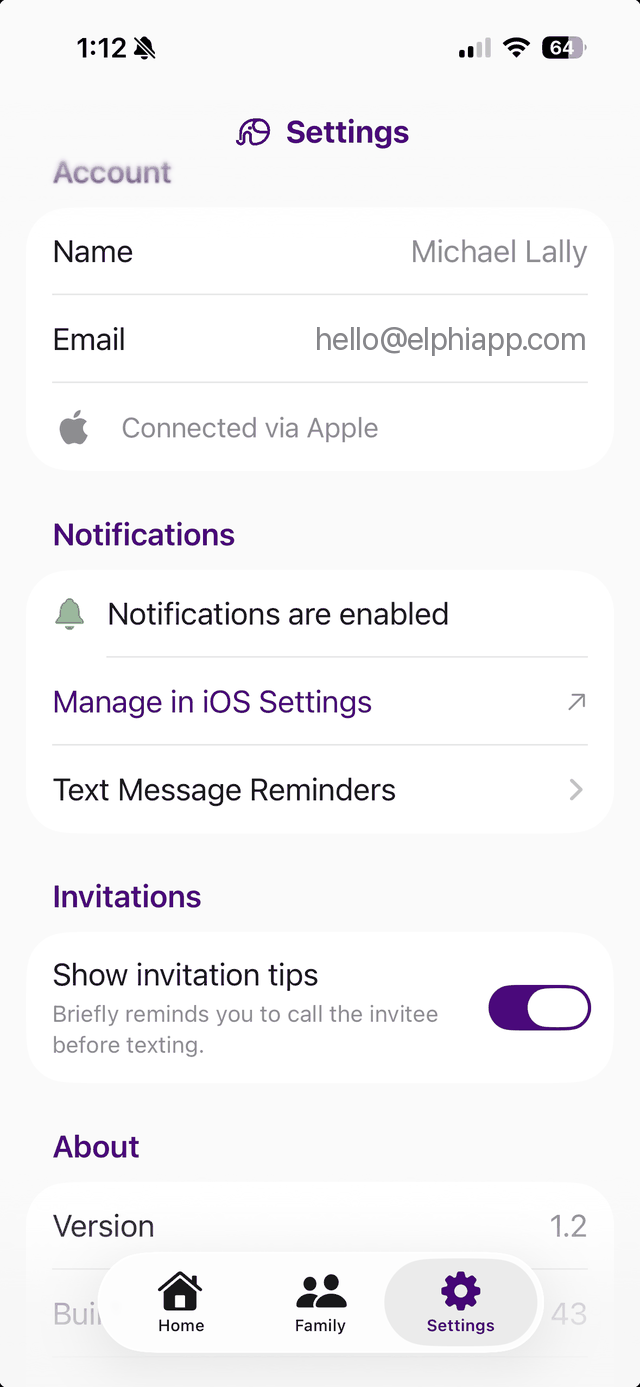
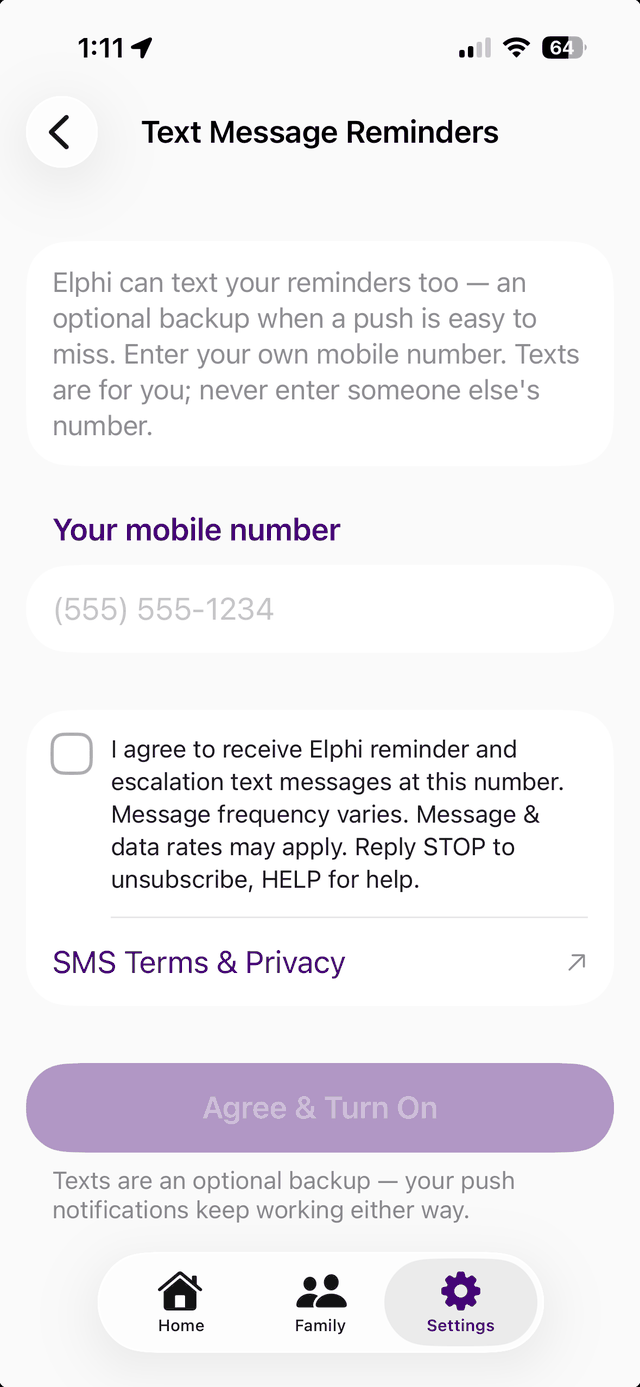
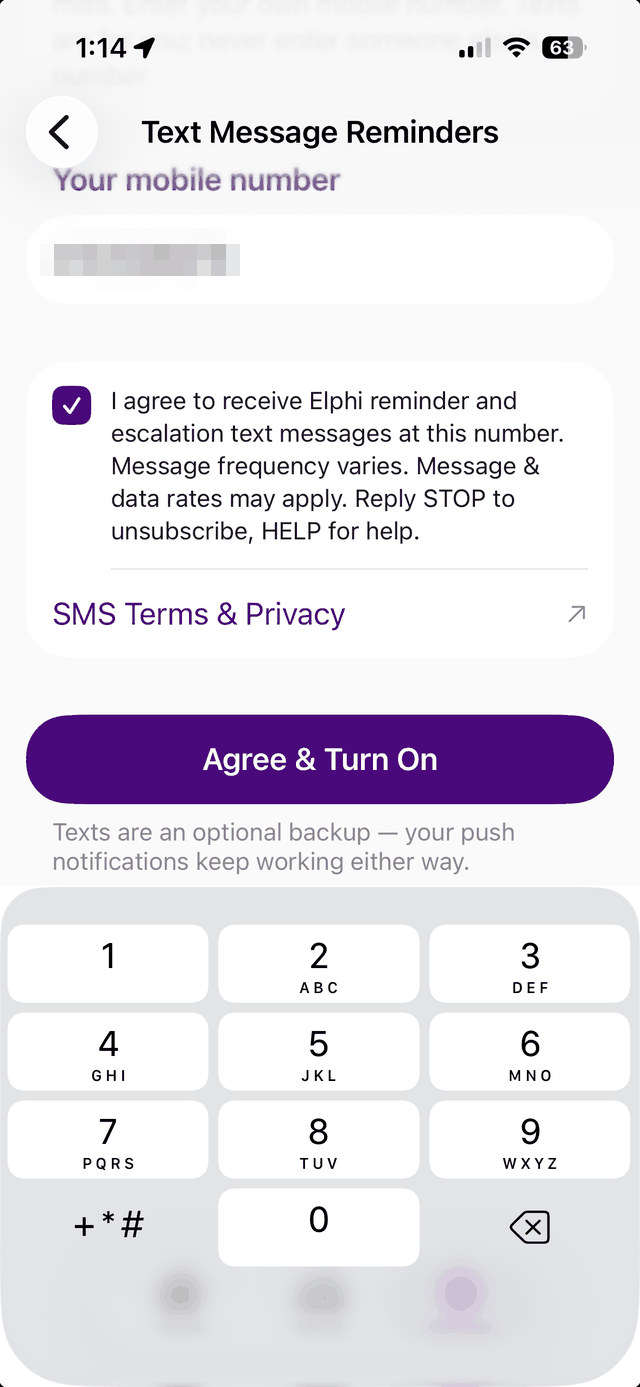
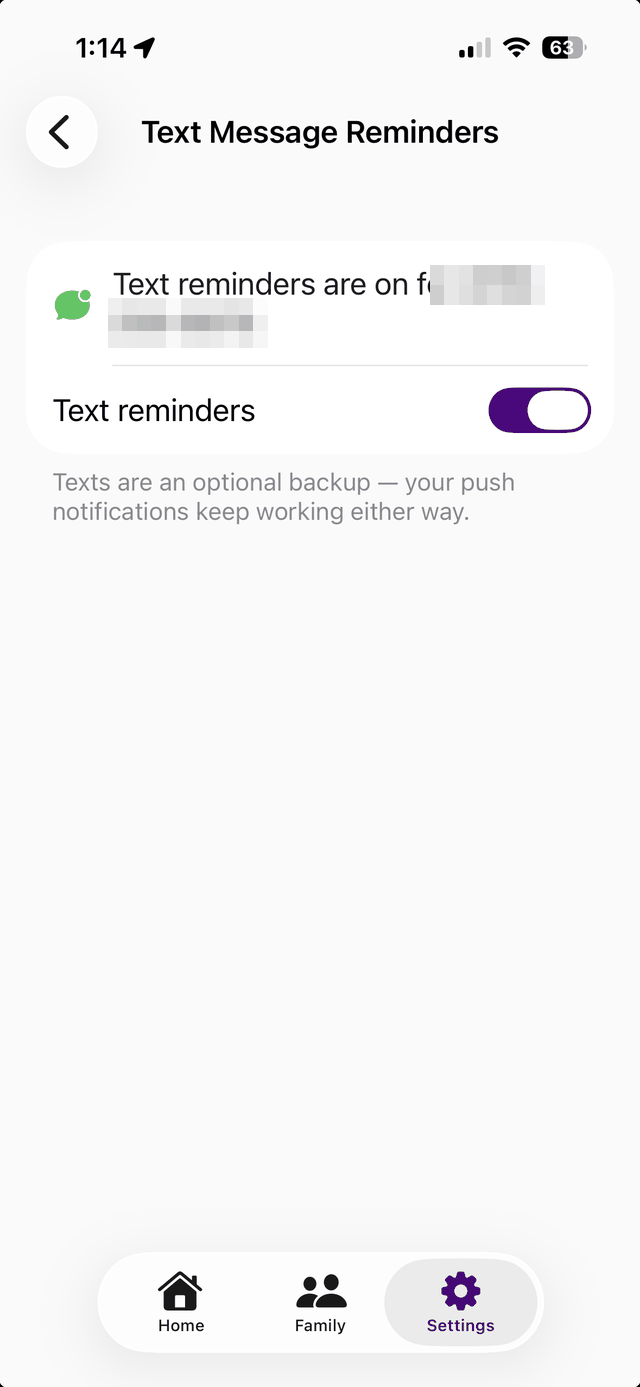
Phone number pixelated in these public images for privacy; the live app shows the user's own number.
The consent statement the user must check before texts are enabled (visible in steps 2–3).
What we send — and don't
Messages are transactional account notifications only: checklist reminders and escalation alerts for the checklists you take part in. Elphi sends no marketing texts. Replying STOP unsubscribes immediately; HELP returns support information; the in-app toggle revokes consent at any time.
SMS opt-in consent and phone numbers are never shared with third parties or affiliates for marketing purposes. See our Privacy Policy and Terms of Service, or contact hello@elphiapp.com.